Routines
A routine groups products into ordered steps, for example cleanse, tone, treat and moisturize. Customers see recommended routines on the Routines tab of the result page.
Create a routine
-
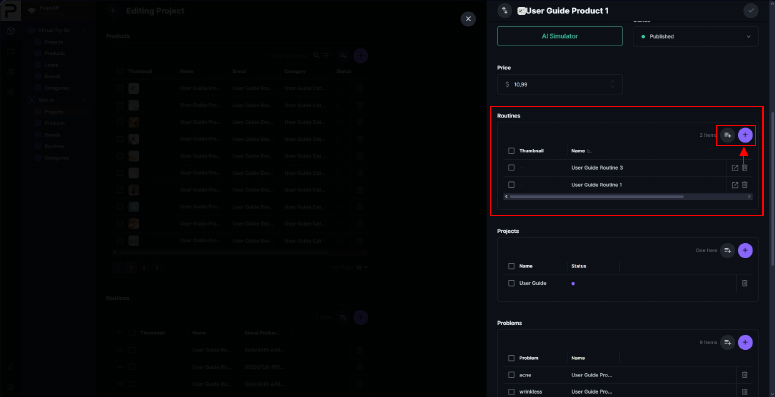
Open a product and go to its Routines table, or go to Skin AI → Routines.
-
Click + to create a routine, or Add Existing to add the product to a routine you already have.
-
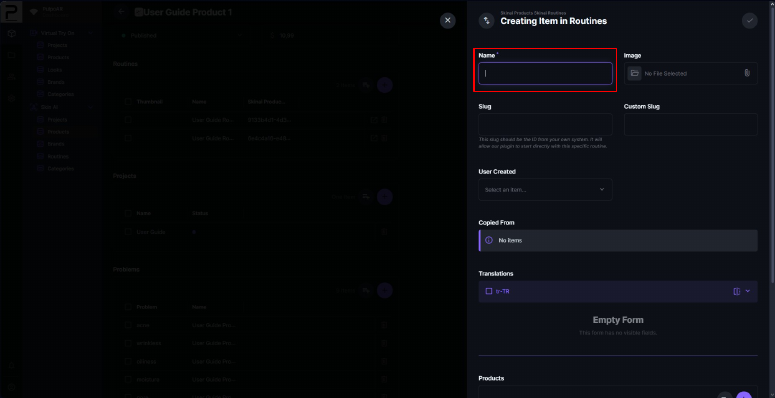
Fill in the Name. Image, Slug and Custom Slug work the same way as for products.
Step name and product order
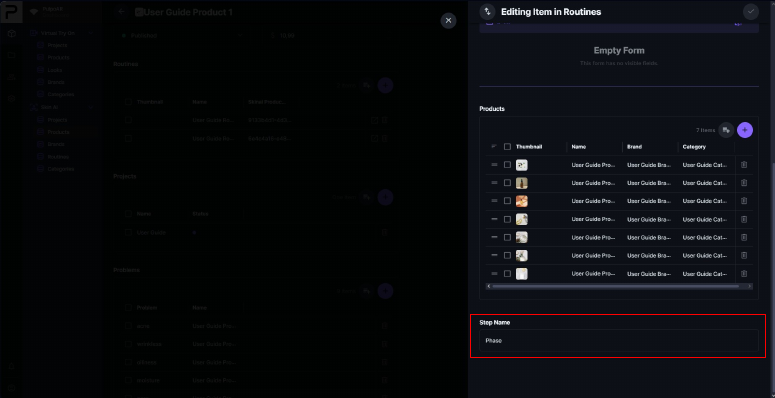
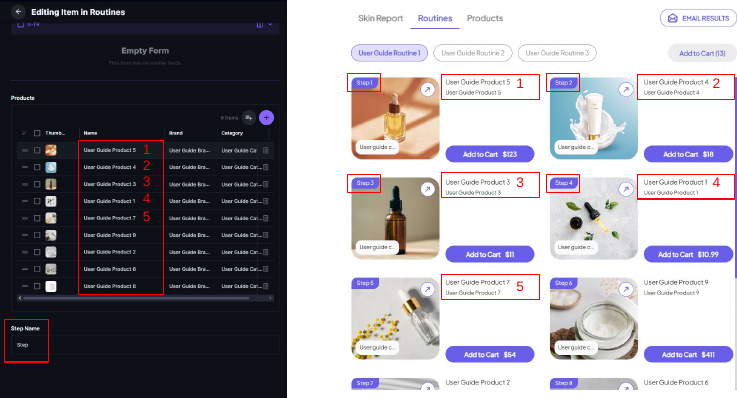
- Enter a Step Name. It's shown above the products on the result page.
- Add products to the routine and drag them into order. Customers see them in the same order.
Routine not showing?
Check that the routine and its products are added to the project. A routine that isn't in the project isn't shown, even if its products are.