Products and variants
A product is a hair color product line. Its variants are the shades customers try on.
The project's products
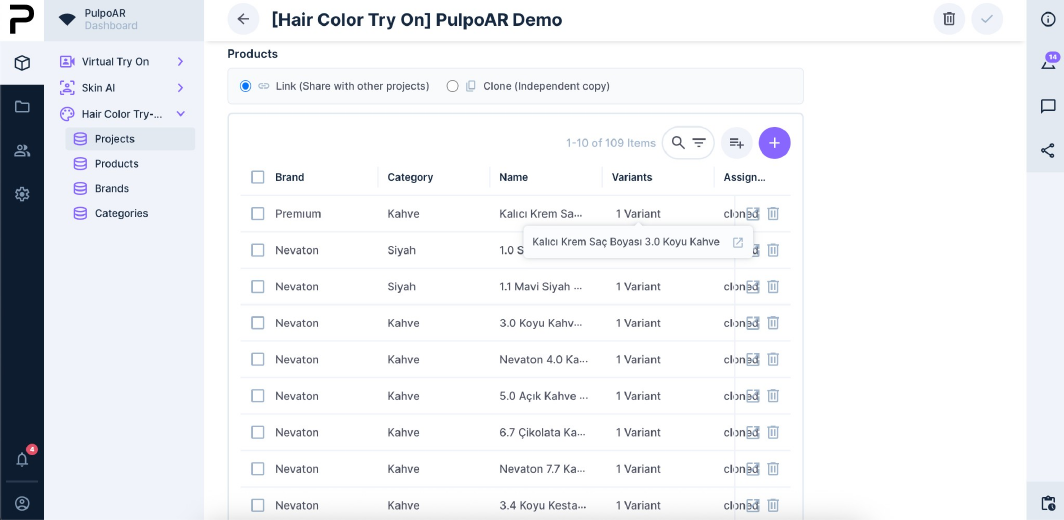
Open the project and scroll to the Products table. It lists every product in the project, with its brand, category and number of variants.
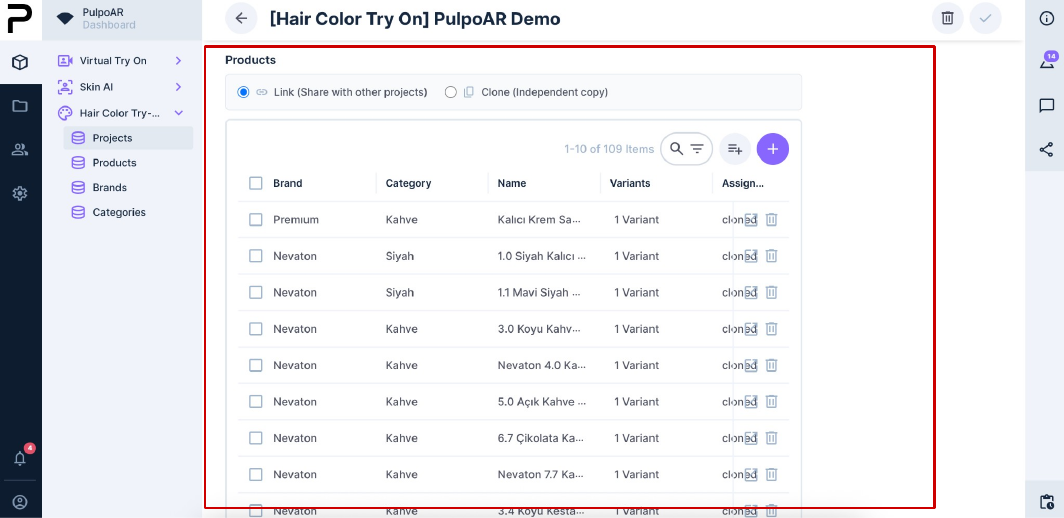
Above the table, choose how products are shared when the project is duplicated:
- Link (Share with other projects): the products are shared. Changes apply to every project that uses them.
- Clone (Independent copy): each project gets its own copy. Changes don't affect other projects.
Click + to create a product.
Create a product
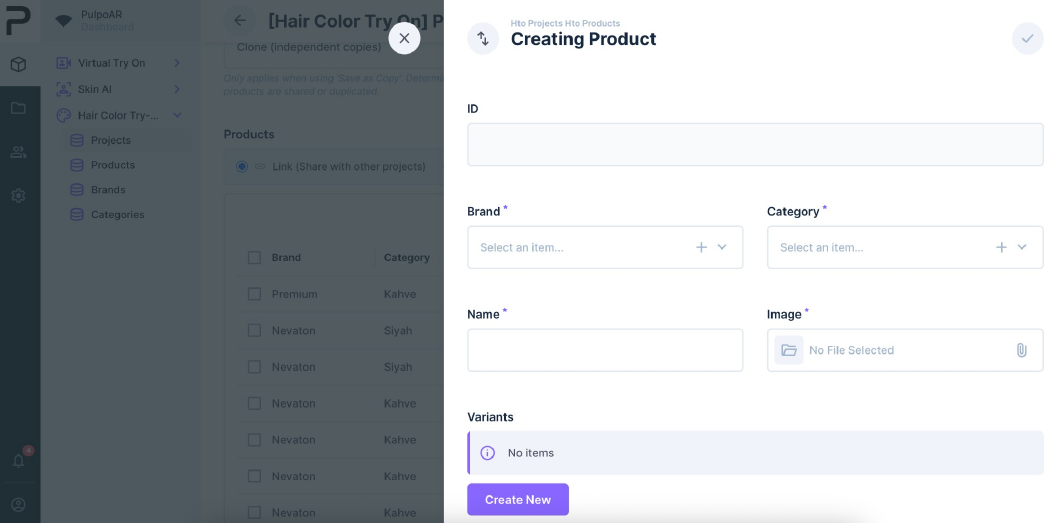
- Fill in:
- Brand: pick a brand, or click + to create one.
- Category: pick a color family, or click + to create one.
- Name: the product line, for example "Permanent Cream Color".
- Image: shown in the catalog.
- Save. You add variants in the next step.
Tips
- Name products after the product line, not a shade. Shades are variants.
- Reuse existing categories. If "Copper" exists, don't create "Copper Red" or "Red Copper" too.
- Use a square image with a transparent background.
Create a variant
- Open the product and click Create New in the Variants area.
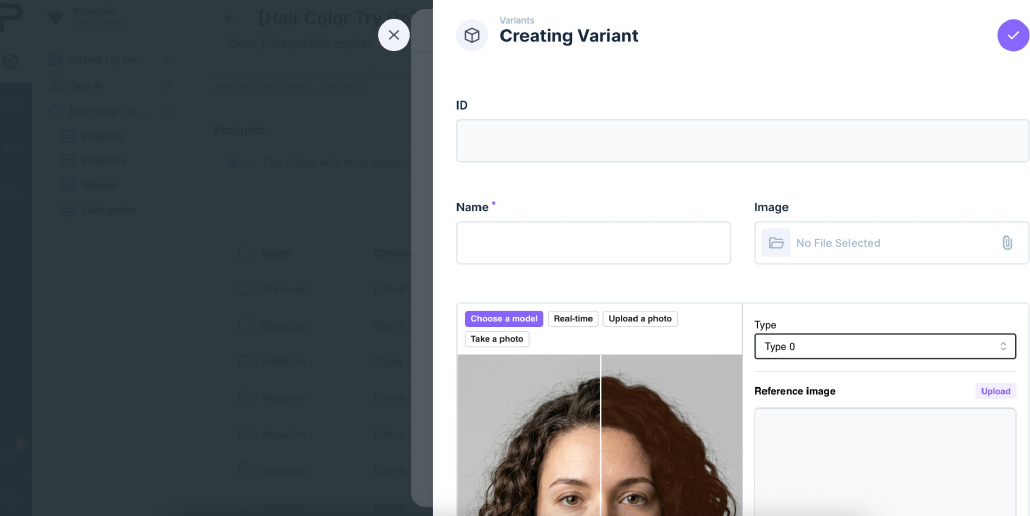
- Fill in:
- Name: the shade name, for example "7.3 Dark Golden Blonde".
- Image: shown in the catalog.
- Type: keep the default for a standard color.
- Digitalize the shade.
- Fill in the variant fields below.
- Click ✓ at the top right to save.
Save before you leave
Studio doesn't save variant changes automatically. If you leave without clicking ✓, your changes are lost.
Variant fields
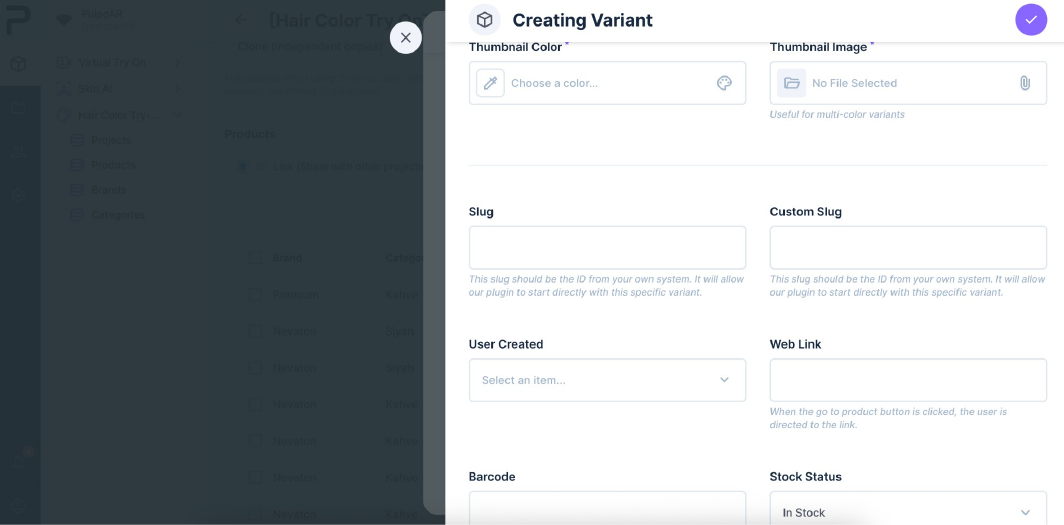
| Field | Description |
|---|---|
| Thumbnail Color | The color of the shade's swatch in the catalog. Use it for single-tone shades. |
| Thumbnail Image | An image for the swatch instead of a flat color. Use it for multi-tone shades. |
| Slug | The shade's unique identifier. Used in direct links and analytics. |
| Custom Slug | Your own identifier, for example your SKU. |
| User Created | Who created the variant. |
| Web Link | The product page customers go to when they click Go to Product. |
| Barcode | EAN or UPC. Use the same value as in your own product data, so reports match. |
| Stock Status | In Stock or Out of Stock. An out-of-stock shade is still shown, with an out-of-stock label. To hide it, set its Status to Draft or Archived. See Stock and status. |
Check the project's products
After you save, the product and its variants appear in the project's Products table. Click the number in the Variants column to see each shade.